
Why Do I Have No Data In a Report?
This guide is intended to help users troubleshoot common causes for having no data in a report.
1.) Account is still syncing your store data
This is by far the most common cause of having no data in a report.
Usually this is the case when you have just installed your Report Toaster account, or you have only just upgraded to one of our paid plans and are trying to access a premium feature.
See our main guide here for more information.
Solution - Just wait and be patient. Usually 15 minutes to an hour is plenty of time for us to sync the necessary data, unless you're a larger store.
2.) Data does not exist in Shopify.
This can happen for when you have a filter or date setting that doesn't correspond to anything in your Shopify. For example, if this is my list of products:
(click image to enlarge)
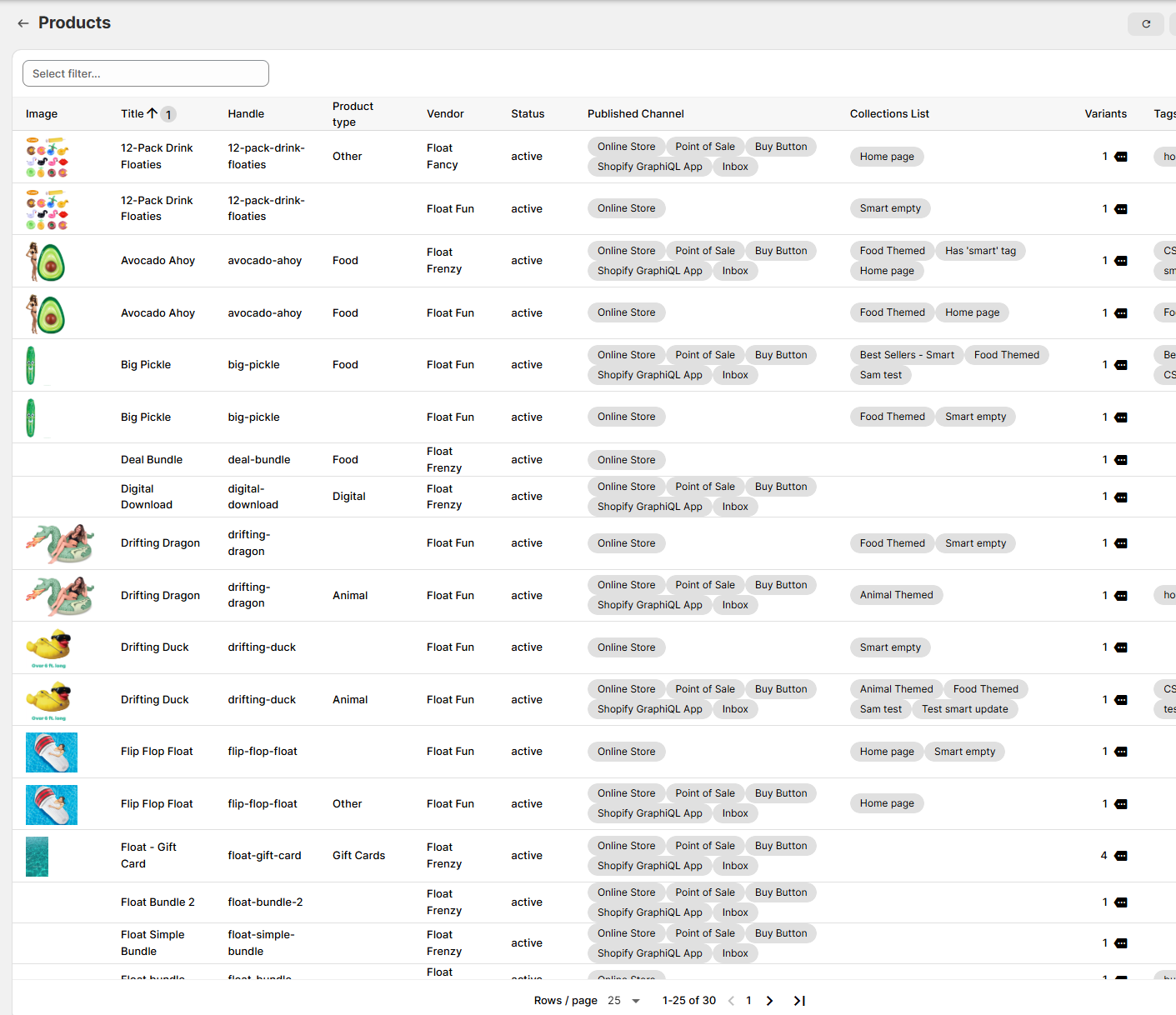
And I search for Product Title, contains, Grasshopper
(click image to enlarge)
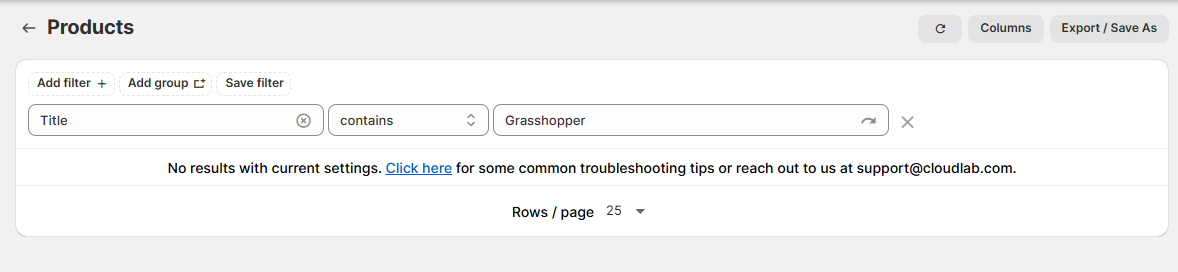
Then of course I get no results - as there are no products with Grasshopper in the title.
Solution - Double check your Shopify data. Is your spelling correct? Are you using equal to, when you should be
using contains? Has something been renamed or deleted?
A good tip is to add the column in question first
(i.e. product title as a column) - that way you can see what the results are and then filter by an exact match.
For more information on filtering reports and adding columns, check our basic guides section here.
3.) Filters are contradictory
This is usually the case when accidentally using AND instead of OR on a filter, but as you can imagine, there are a number of possible scenarios here.
(click image to enlarge)
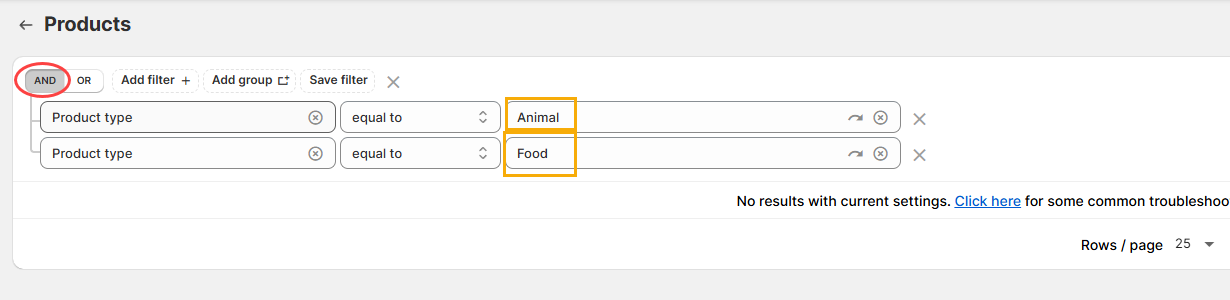
No product can have more than one Product Type in Shopify, so it isn't possible for something to be both an Animal and a Food Product type. In this case, I should switch to OR.
Solution - Check your conditions. This is particularly crucial when running multiple filter groups, or saved
filters. See our main guide here.
A good tip is to
make sure you are using the right fields as well
For example, am I trying to filter by Line Item
/ Product Title (the title for a single line item on an order) or Line Items / Product Title (all
the product titles for all the line items on an order)
4.) Date range is beyond the historical data we have for your account.
Free plan users are limited to 90 days of historical data.
By contrast, by default we sync up to 1 year of historical data for Shopify Advanced/Plus users and 2 years for Basic/Shopify.
(Paid plan users can always contact us to add more historical data upon request)
So if you set your report to say, 2024, and you are a Free Plan user, then you would see no results in the report:
(Note the blue bar at the top to indicate this!)
(click image to enlarge)
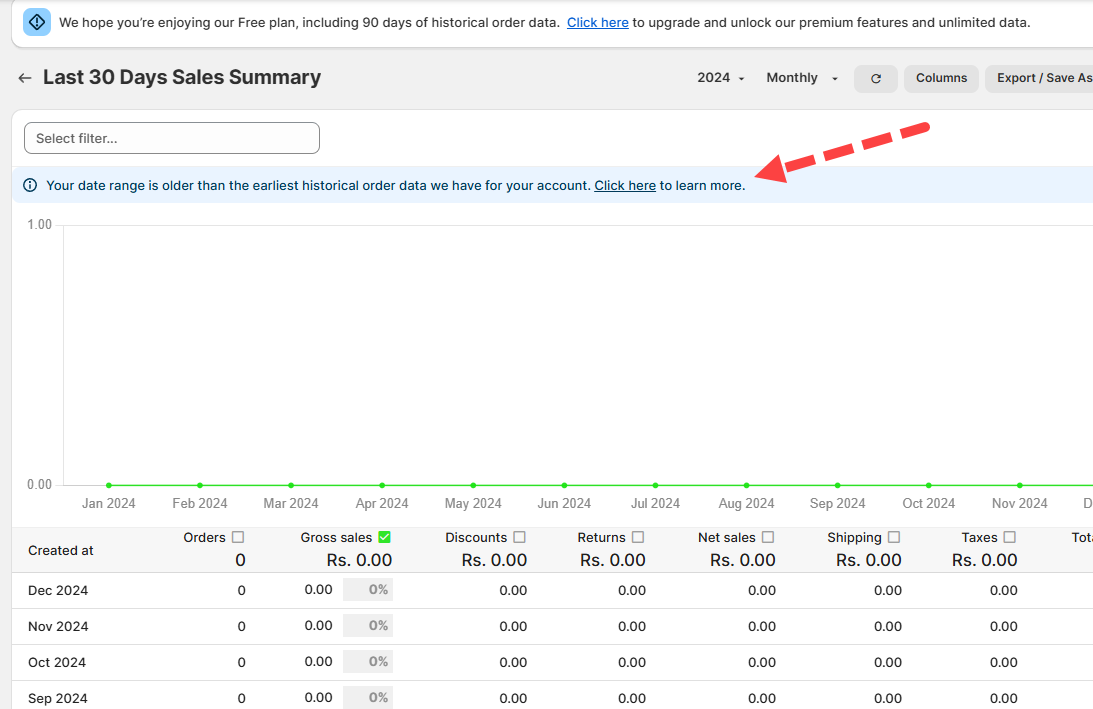
Solution - Change the date range to cover a period equal to how much you have in historical data.
It might
be worth considering upgrading your account and asking us to add further historical data if you need to create
reports outside this date range.
If you've run through each of the cases above and you're still having trouble seeing data in a report, feel free to reach out to us at [email protected]